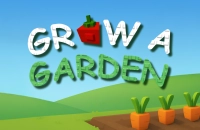











Grow A Garden online: Free, No Download, Play Instantly in Your Browser
If you love relaxing and creative casual games, Grow A Garden online is a perfect choice to unwind and have fun. This free browser game lets you cultivate your own beautiful garden by planting and nurturing various flowers, plants, and decorations. You don’t need to download anything — just open your browser and play instantly. Whether you want to create a colorful garden oasis or challenge yourself with strategic planting, Grow A Garden unblocked offers hours of peaceful entertainment right at your fingertips.
About Grow A Garden
Grow A Garden is a charming gardening simulation game that invites players to build and customize their own serene garden space. While the original developer remains anonymous, its appeal lies in the simple yet satisfying mechanics of planting and growing a variety of plants. The game stands out with its relaxing vibe and accessible gameplay that anyone can enjoy.
Players love Grow A Garden for its stress-free, creative environment where they can experiment with different plant combinations and garden layouts. The gradual progression and ability to unlock new seeds and decorations keep players coming back for more peaceful gardening sessions.
How to Play Grow A Garden
The goal in Grow A Garden is to transform an empty plot into a vibrant garden full of blooming plants. Each round, you select seeds to plant in the available soil plots and wait for them to grow. As plants mature, you can harvest and replant or unlock new types of flora. The core loop involves choosing the best planting strategy to maximize garden beauty and efficiency. There’s no losing condition, as it’s a relaxing sandbox experience focused on creativity and growth.
Grow A Garden Controls
- Mouse — Click to select seeds and plant in soil plots
- Mouse — Click on mature plants to harvest
- Keyboard (optional) — Use arrow keys to navigate menus faster
- Mouse — Drag decorations into place for garden customization
Tips & Tricks to Win at Grow A Garden
Here are some handy tips to help you grow a stunning garden quickly and efficiently.
- Focus on planting a balanced mix of fast-growing and slow-growing plants to keep your garden lively at all times.
- Unlock new seeds and decorations as soon as possible to add variety and increase your garden’s appeal.
- Pay attention to plant compatibility and placement for better growth rates and visual harmony.
- Regularly harvest mature plants to free up space and maintain a steady cycle of growth and renewal.
Why Play Grow A Garden on 6686Game?
6686Game offers Grow A Garden completely free with no download or login required. It runs perfectly on any modern browser, including mobile devices, so you can enjoy your garden anytime, anywhere. Our site hosts hundreds of similar casual and simulation games, so you’ll never run out of fun options. Jump in now and see how far you can get in creating your dream garden!
Similar Games You'll Love
Frequently Asked Questions About Grow A Garden
Is Grow A Garden free to play?
Yes! Grow A Garden is completely free to play on 6686game.com — no purchase, no subscription, no hidden fees.
Can I play Grow A Garden unblocked?
Absolutely. Grow A Garden runs directly in your browser on 6686game.com, making it accessible even on school or work networks where other sites may be blocked.
Do I need to download Grow A Garden?
No download needed. Grow A Garden loads instantly in any modern browser — Chrome, Firefox, Safari, or Edge.
What are the controls for Grow A Garden?
You use your mouse to select and plant seeds, harvest mature plants, and arrange decorations. Keyboard arrow keys can help navigate menus faster, but the mouse is your main tool.
Is Grow A Garden available on mobile?
Yes, Grow A Garden works on mobile browsers. Just open 6686game.com on your phone or tablet and play directly — no app required.
Comments
No comments yet. Be the first to comment.