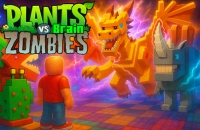











Plants Vs Brain Zombies online: Play Free and Unblocked Now!
If you're looking for a fun and strategic tower defense game, Plants Vs Brain Zombies online is an exciting choice you can play instantly in your browser for free, with no download required. This addictive casual game pits your brainy plants against waves of quirky zombies, challenging you to protect your lawn using smart placement and quick thinking. Whether you're a seasoned defender or new to the genre, Plants Vs Brain Zombies unblocked offers endless entertainment with its clever mechanics and whimsical style.
About Plants Vs Brain Zombies
Plants Vs Brain Zombies is a delightful tower defense game where players use various plants to fend off invading zombies. The game stands out with its charming graphics and unique mix of strategy and humor. Although specific developer details are scarce, it has gained popularity for its engaging gameplay and creative concept.
Players love Plants Vs Brain Zombies for its blend of tactical planning and fast-paced action. The variety of plant types and zombie enemies keeps each level fresh and challenging, encouraging repeated playthroughs to master the defenses and unlock new strategies.
How to Play Plants Vs Brain Zombies
The goal in Plants Vs Brain Zombies is to stop the zombies from crossing your garden by planting different types of defensive and offensive plants strategically. Each round introduces new zombies and challenges, requiring you to adapt your tactics. You earn sun points to plant more defenses and must balance resource management with quick decision-making. You lose if zombies reach your house, so careful placement and timing are key to winning each level.
Plants Vs Brain Zombies Controls
- Mouse – Select and place plants on the lawn squares
- Left-click – Confirm planting or action
- Keyboard (optional) – Use number keys to quickly select plants
Tips & Tricks to Win at Plants Vs Brain Zombies
Mastering Plants Vs Brain Zombies requires a mix of strategy and quick thinking. Here are some tips to help you defend your garden effectively:
- Start by planting sun-producing plants early to build up resources faster for stronger defenses.
- Mix different plant types to cover both attacking and slowing zombies for better control.
- Pay attention to special zombie abilities and adjust your strategy accordingly.
- Save powerful plants for critical moments when waves get tougher to maximize their impact.
Why Play Plants Vs Brain Zombies on 6686Game?
6686Game offers Plants Vs Brain Zombies online completely free and without any downloads or logins required. It runs smoothly on any modern browser, whether you're on desktop or mobile. With no ads or interruptions, you can jump straight into the fun anytime, anywhere. Plus, 6686Game hosts hundreds of similar casual and strategy games, so you’ll never run out of exciting new challenges. Jump in now and see how far you can get!
Similar Games You'll Love
Frequently Asked Questions About Plants Vs Brain Zombies
Is Plants Vs Brain Zombies free to play?
Yes! Plants Vs Brain Zombies is completely free to play on 6686game.com — no purchase, no subscription, no hidden fees.
Can I play Plants Vs Brain Zombies unblocked?
Absolutely. Plants Vs Brain Zombies runs directly in your browser on 6686game.com, making it accessible even on school or work networks where other sites may be blocked.
Do I need to download Plants Vs Brain Zombies?
No download needed. Plants Vs Brain Zombies loads instantly in any modern browser — Chrome, Firefox, Safari, or Edge.
What are the controls for Plants Vs Brain Zombies?
You use your mouse to select and place plants on the lawn squares, left-click to confirm actions, and can optionally use keyboard number keys to quickly pick plants.
Is Plants Vs Brain Zombies available on mobile?
Yes, Plants Vs Brain Zombies works on mobile browsers. Just open 6686game.com on your phone or tablet and play directly — no app required.
Comments
No comments yet. Be the first to comment.